Copy. Paste. Done.
Choose a style in the app and copy it into a bio, caption, message, or contact name.
 Typelace
FOR IPHONE & IPAD
Style your names, bios, and messages.
Copy and paste them anywhere.
Ava Monroe Script
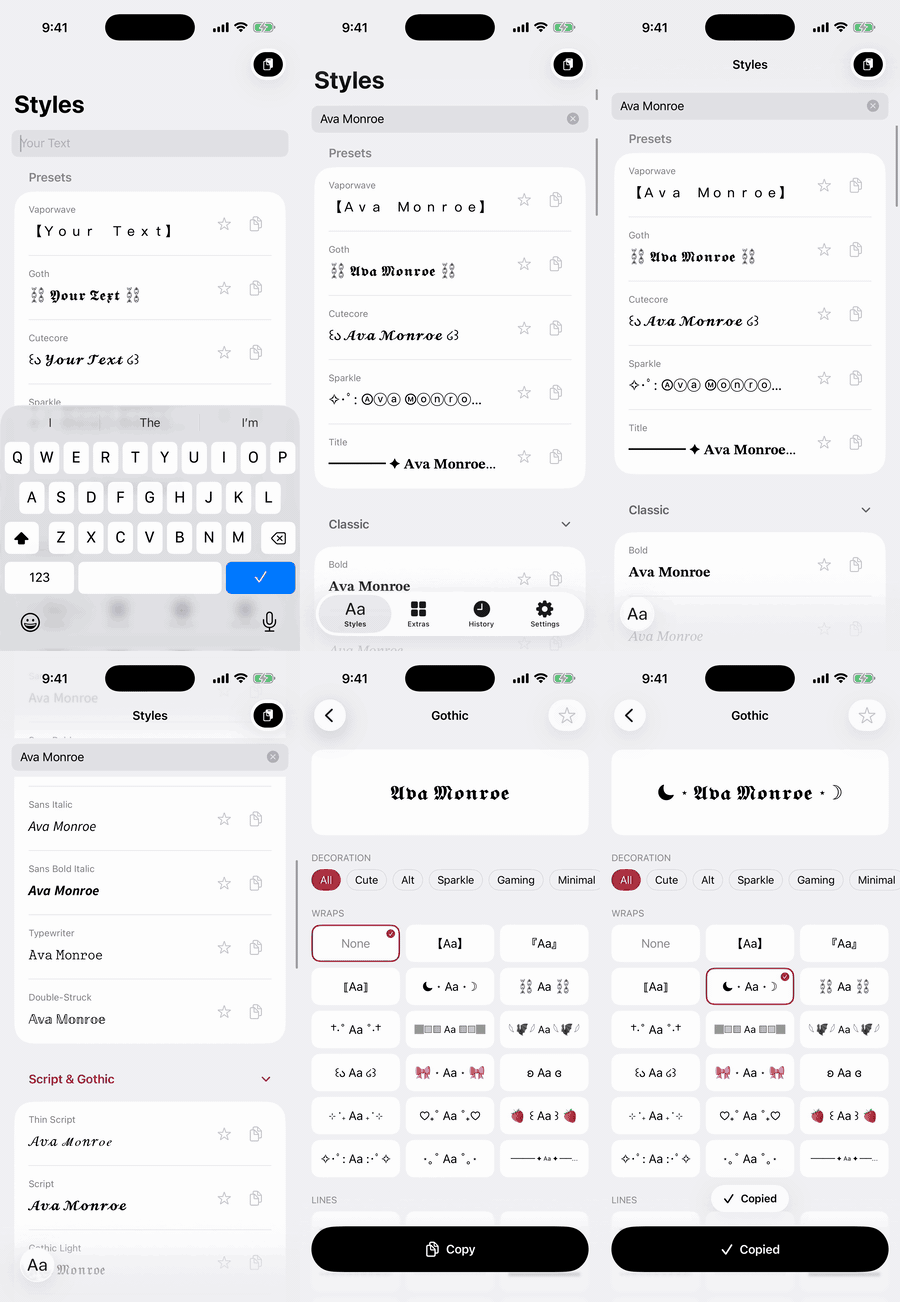
THE SAME WORDS. A DIFFERENT FEEL.
45 styles. 8 categories. 5 ready-made presets.
Find your look, from subtle to unmistakable.
Real text, ready to paste. How it looks can vary by app and device.
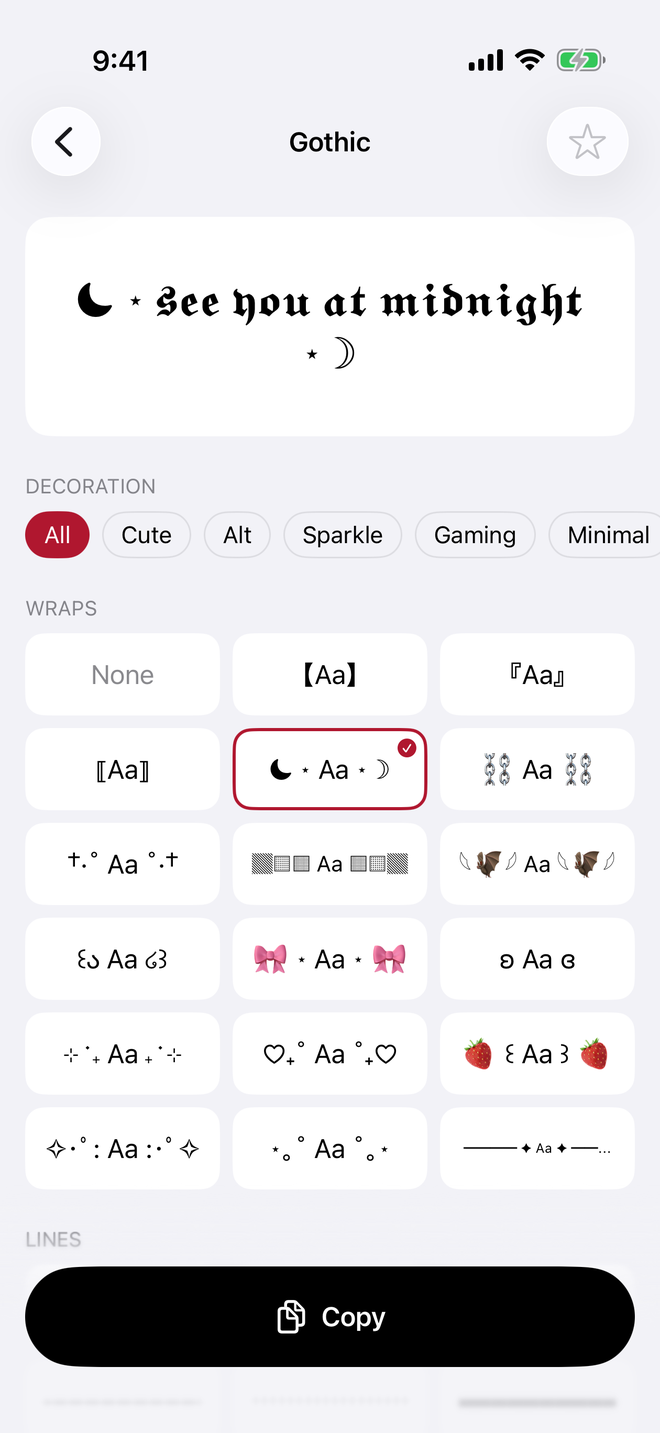
THE FINISHING TOUCH
Frame a name. Wrap a message. Add symbols, kaomoji, or patterns for a little extra character.
Gothic, with a moon wrap.
Save the styles you love. History keeps your last 50 copies, right on your device.
WHEREVER THE WORDS GO
Start in Typelace, the share sheet,
or right from your keyboard.
Choose a style in the app and copy it into a bio, caption, message, or contact name.
Select text in another app and choose “Style with Typelace” from the share sheet.
Use the Typelace keyboard to insert styled text. Full Access is never required.
PERSONAL STYLE. PERSONAL DATA.
No accounts. No tracking.
Nothing leaves your device.
Typelace for iPhone and iPad.